
Winaura app access is offered through a dedicated Casino App entry in the Winaura menu with an app installation prompt. For Canadian users, the account can use CAD and the interface includes English (Canada) and Français (Canada). The safest installation route is the option provided inside Winaura itself, because it directs the device to the installation method currently supported by the casino without relying on third-party download pages.
The mobile Winaura environment connects to the same account used for casino games, 463 live games, sports, esports, promotions, loyalty status, balance functions and withdrawals. The exact installation behaviour can vary by device and browser, so the page should not be treated as a promise of a specific App Store, Google Play or APK distribution method unless Winaura presents that option directly on the device.
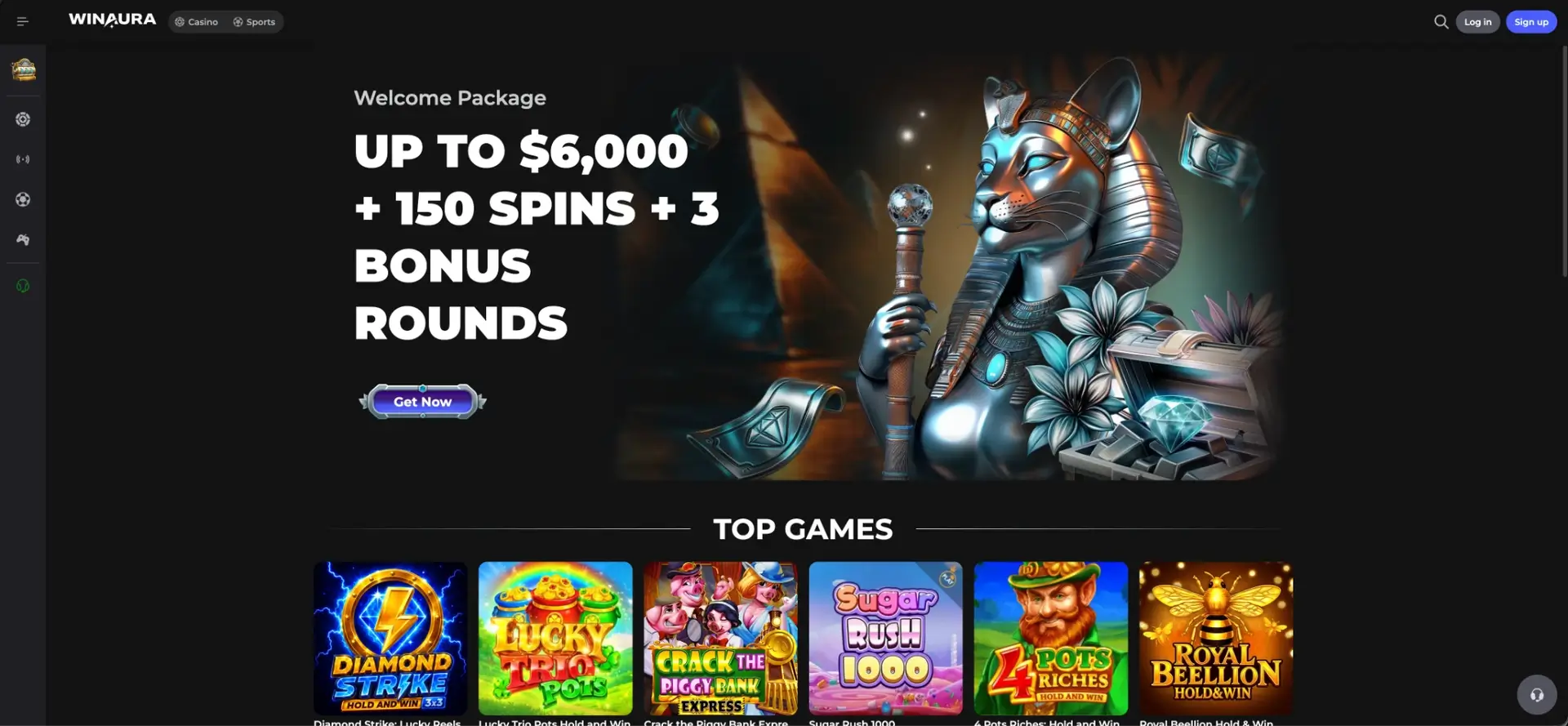
Winaura app at a glance
The Winaura mobile option is integrated into the casino rather than presented as a separate brand or account. Canadian players can keep the same account currency, language and login credentials used on the main site.
| Mobile feature | Winaura details |
|---|---|
| App entry | Casino App in the Winaura menu |
| Installation prompt | the installation option |
| Account | Existing Winaura account credentials |
| Canadian currency | CAD supported |
| Canadian languages | English (Canada) and Français (Canada) |
| Casino catalogue | 121 providers, Winaura Originals, jackpots and standard casino categories |
| Live casino | 463 live games listed in the main Winaura live section |
| Sports | Sportsbook and esports are part of the same account environment |
| Bonuses | Welcome package, cashback, rakeback, reloads, tournaments and loyalty |
| Cashier | CAD account support with Winaura payment and KYC rules |
How to install the Winaura app
Installation should begin from the official Winaura menu. This keeps the process tied to the casino's current mobile setup and avoids guessing whether a specific operating-system store or package format is required.
- Open the official Winaura website on the mobile device.
- Open the main menu.
- Select Casino App.
- Select app installation.
- Follow the installation instructions displayed by the browser or device.
- Open the installed Winaura access point.
- Select Log in and use the existing Winaura account credentials.
Winaura app on Android
Android users should start from Winaura's Casino App menu and follow the installation prompt shown on the device. The exact flow can depend on browser settings and the installation format Winaura currently serves, so a third-party APK should not be treated as a substitute for the official site prompt.
- Open Winaura in a current mobile browser.
- Use Casino App > the installation option.
- Read the device permissions and installation message before continuing.
- Return to the official Winaura site if the installation prompt is interrupted.
- Use the registered Winaura account after installation instead of creating a duplicate profile.
Winaura app on iPhone and iPad
iPhone and iPad users can also begin from the Casino App entry inside Winaura. Because the casino's installation prompt controls the current route, the device should follow the method shown by Winaura rather than assuming that a separate native-store listing is required.
- Open Winaura in the preferred current browser.
- Open the Casino App option from the site menu.
- Select the installation option and follow the iOS prompt that appears.
- Keep the official Winaura domain as the source of the installation flow.
- Use the existing Winaura login credentials when the installed access point opens.
Casino games in the Winaura app
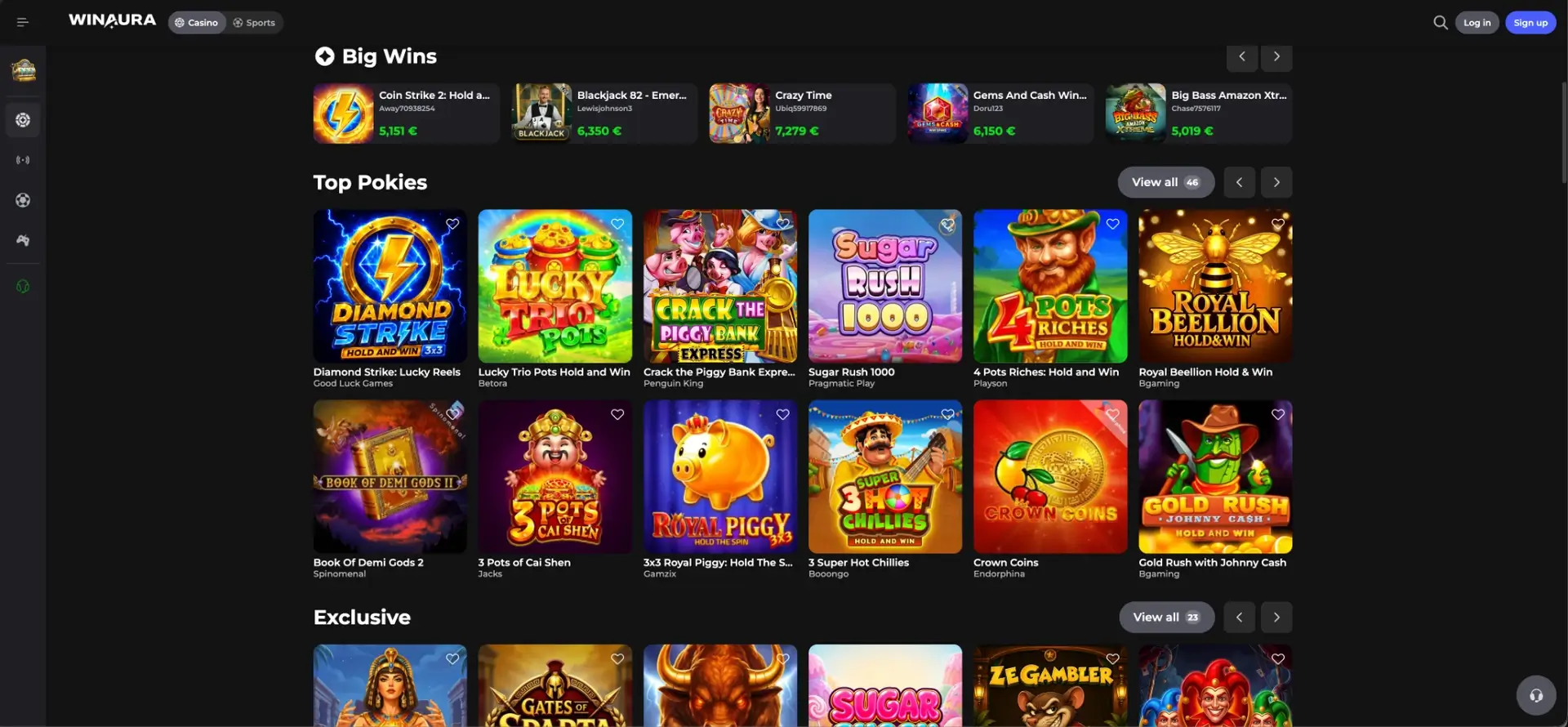
Winaura's casino account is built around category navigation rather than a single game list. The main catalogue includes Top Pokies, Exclusive titles, Original Games, jackpots, an RTP 24 Hours group and a provider directory containing 121 studios.
| Casino section | Examples |
|---|---|
| Top Pokies | Diamond Strike: Lucky Reels, Sugar Rush 1000, 4 Pots Riches: Hold and Win |
| Original Games | Chicken Coin, Chicken Road 2, Penalty Unlimited, Plinko Aztec |
| Jackpots | 50 titles listed in the Winaura jackpot category |
| Live Casino | Crazy Time, Monopoly Big Baller, Lightning Roulette, Blackjack 7 and other live titles |
| Providers | Pragmatic Play, Evolution, Play'n GO, NetEnt, Playtech, Yggdrasil and others |
Live casino on mobile
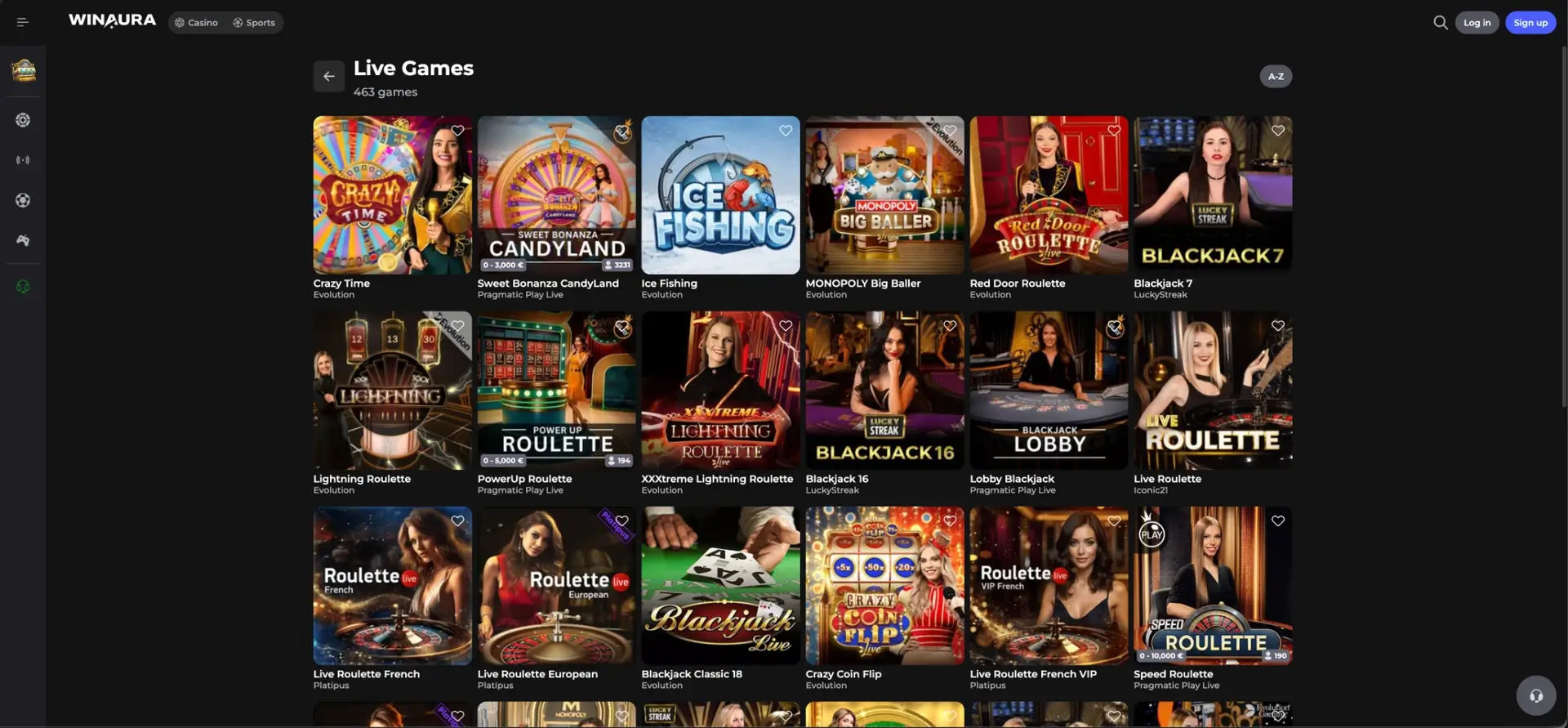
The main Winaura live section lists 463 games, including blackjack, roulette and game-show formats. Mobile access to these titles depends on the individual provider and device compatibility, while the account navigation keeps live casino separate from standard casino categories.
- Crazy Time by Evolution.
- Sweet Bonanza CandyLand by Pragmatic Play Live.
- Monopoly Big Baller by Evolution.
- Lightning Roulette and XXXtreme Lightning Roulette by Evolution.
- Blackjack 7 and Blackjack 16 by LuckyStreak.
- Lobby Blackjack and Speed Roulette by Pragmatic Play Live.
Sports and esports in the Winaura app
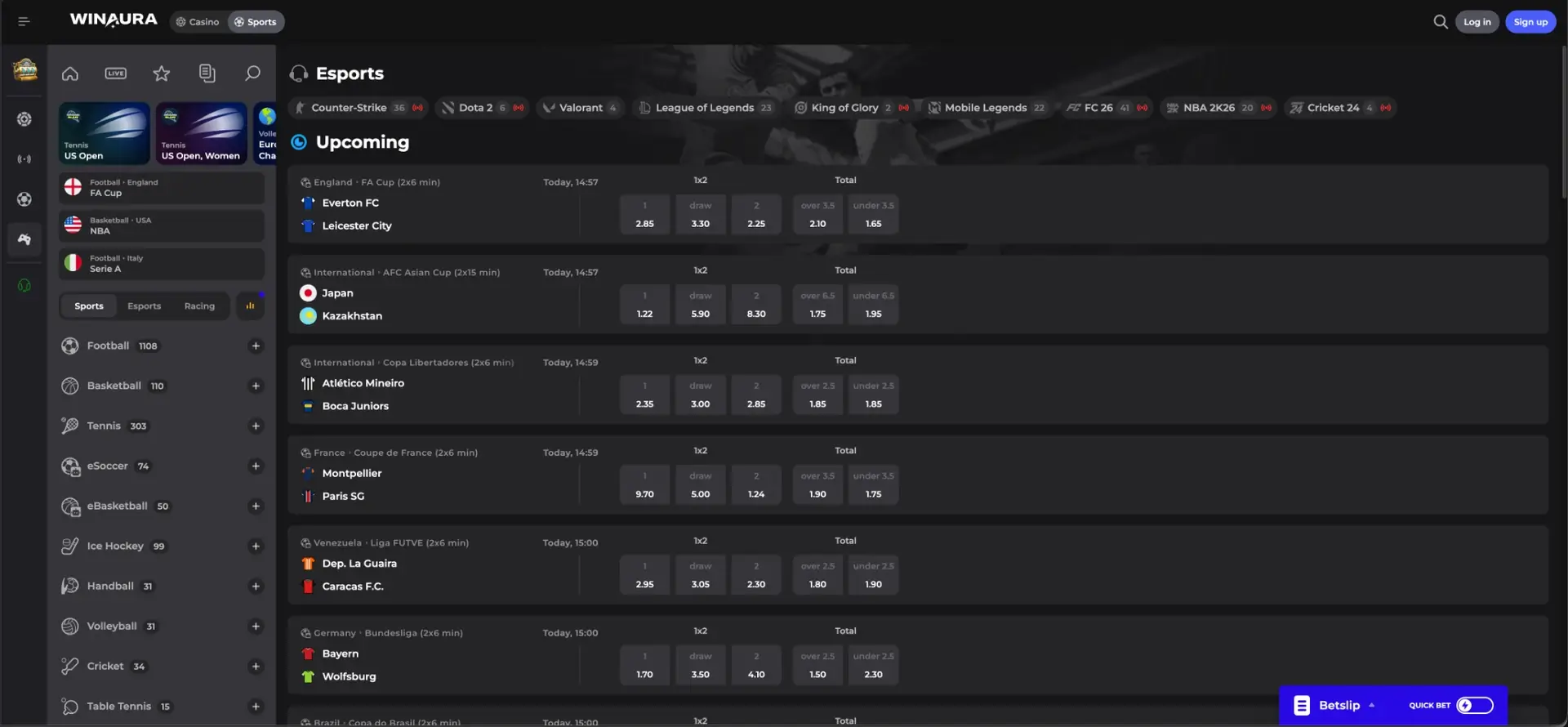
The Winaura account also includes a sportsbook with Popular, Live, Upcoming, Predictions, Bets Feed and Playtracker navigation. Traditional sports and esports can be opened from the same environment, with a betslip available for selected markets.
- Football, basketball, tennis, ice hockey, handball, volleyball, cricket and table tennis.
- Counter-Strike, Dota 2, Valorant and League of Legends.
- King of Glory, Mobile Legends, FC 26, NBA 2K26 and Cricket 24.
- Common market types include 1X2, double chance, totals and lines where available.
Winaura app bonuses
Bonus access is tied to the Winaura account rather than a separate mobile-only wallet. The casino advertises a welcome package up to CAD 6,000 + 150 spins + 3 bonus rounds and also provides weekly cashback, rakeback, reloads, tournaments and loyalty-linked benefits.
| Promotion | Mobile account relevance |
|---|---|
| Welcome Package | Up to CAD 6,000 + 150 spins + 3 bonus rounds |
| Weekly Cashback | Tiered rates from 5% with invite-only cashback up to 25% |
| Highroller Bonus | 50% match; code 5OHIGH |
| Sunday Reload | Recurring reload structure linked to promotion and loyalty conditions |
| Rakeback | Up to 18% |
| Loyalty | Bronze, Silver, Gold and Platinum progression with additional benefits |
CAD deposits and withdrawals in the Winaura app
CAD is an accepted Winaura currency, but the casino states that its internal operating currency is EUR. For most deposit methods, the converted minimum is roughly CAD 32, while the converted minimum withdrawal is roughly CAD 80. The amount displayed in the cashier for the selected method should control because method-specific limits can vary.
| Cashier item | Winaura rule |
|---|---|
| Account currency | CAD supported |
| Typical minimum deposit | Roughly CAD 32 equivalent for most methods; method-specific minimums can vary |
| Minimum withdrawal | Roughly CAD 80 equivalent |
| Casino processing time | Up to 72 hours before payment-method delivery time |
| Card payouts | Visa OCT and Mastercard Payment Transfer where supported by the issuing bank |
| Deposit ownership | The payment method must belong to the registered account holder |
| Play-through before withdrawal | Active deposited amounts must be played through at least three times |
KYC and security in the Winaura app
Mobile access does not remove Winaura's identity and payment controls. The casino can request KYC at the first withdrawal, can repeat verification later and can apply checks at deposit stages. Cashouts remain unprocessed until the required identity verification has been completed.
- Passport or national identity card can be requested.
- Utility bills can be requested as address evidence.
- Copies of payment cards used for deposits can be requested.
- A phone call to the registered number can form part of verification.
- The payment method should match the name registered on the Winaura account.
Winaura app troubleshooting
Installation or login issues should be handled through the official site and Help Center rather than by replacing the Winaura package with an unrelated download. Device, browser and account conditions can affect the installation prompt separately from the casino account itself.
The install prompt does not appear
If Casino App opens without completing installation, the mobile browser and page state should be checked before another source is used.
- Reload the official Winaura site once.
- Open Casino App from the site menu again.
- Confirm that the browser allows site installation prompts.
- Try another current browser if the device blocks the prompt.
- Use the Winaura Help Center if the official installation route remains unavailable.
The Winaura app opens but login fails
App access and account credentials are separate from the installation step. A successful installation does not bypass normal login or any security restriction applied to the Winaura account.
- Re-enter the credentials requested by the login form.
- Check capitalization and typing errors.
- Confirm that the account is not waiting for a security or KYC action.
- Use the Help Center when an account restriction cannot be resolved from the profile.
A mobile game does not load correctly
Individual games are supplied by different studios, so a title can have its own device, connection or browser requirements even when the Winaura account itself is working normally.
- Check the mobile connection before restarting the game.
- Close unused browser tabs or background apps if device memory is limited.
- Try another title from the same category to separate a game-specific issue from an account issue.
- Use a current browser or the official Winaura installation route.
Winaura app FAQ
The following questions cover installation, account access, bonuses and payments for Winaura mobile users in Canada.
Where can the Winaura app be installed?
Winaura provides a Casino App entry in its own menu with an the installation option prompt. Installation should start from that official route.
Does the Winaura app support CAD?
CAD is an accepted Winaura account currency. Canadian language options also include English (Canada) and Français (Canada).
Is a different account required for the Winaura app?
No separate mobile profile is indicated. The Winaura app entry belongs to the same casino environment and uses the registered Winaura account for login.
Can bonuses be used from mobile?
Winaura bonuses are account-based and include the welcome package, weekly cashback, rakeback, reloads, tournaments and loyalty-linked benefits. Individual promotion terms should be checked before activation.
Can sports and esports be opened on Winaura mobile?
Sports and Esports are part of the same Winaura account navigation. Available markets and layout can adapt to the mobile device.
Can Winaura request KYC from an app user?
Yes. KYC rules apply to the Winaura account regardless of access method and can be triggered at withdrawal, deposit or another compliance check.
How long can a mobile withdrawal take?
Winaura states that casino-side withdrawal processing can take up to 72 hours. The payment method then has its own delivery time after the transaction is released.
Responsible gambling
Winaura is for adults only. Check local eligibility rules, set firm spending and time limits, and never gamble with money needed for essential expenses.